The MSPbots integration filter is located under the Integration Group filter on the Bots, Dashboards, Datasets, KPIs, Reports, Scorecards, Slicers and Widgets pages in the MSPbots app.
Clicking MSPbots integration in the Integration Group list displays:
- Assets only tagged as MSPbots.
- Assets tagged as MSPbots and also tagged with at least one other connected integration.
* Asset types include Datasets, Widgets, Bots, Dashboards, Reports, KPIs, Scorecards and Slicers.
* The Tagged refers to the integrations set for the dataset used by the asset. You can view the integrations for this asset tag on the right side of the asset.
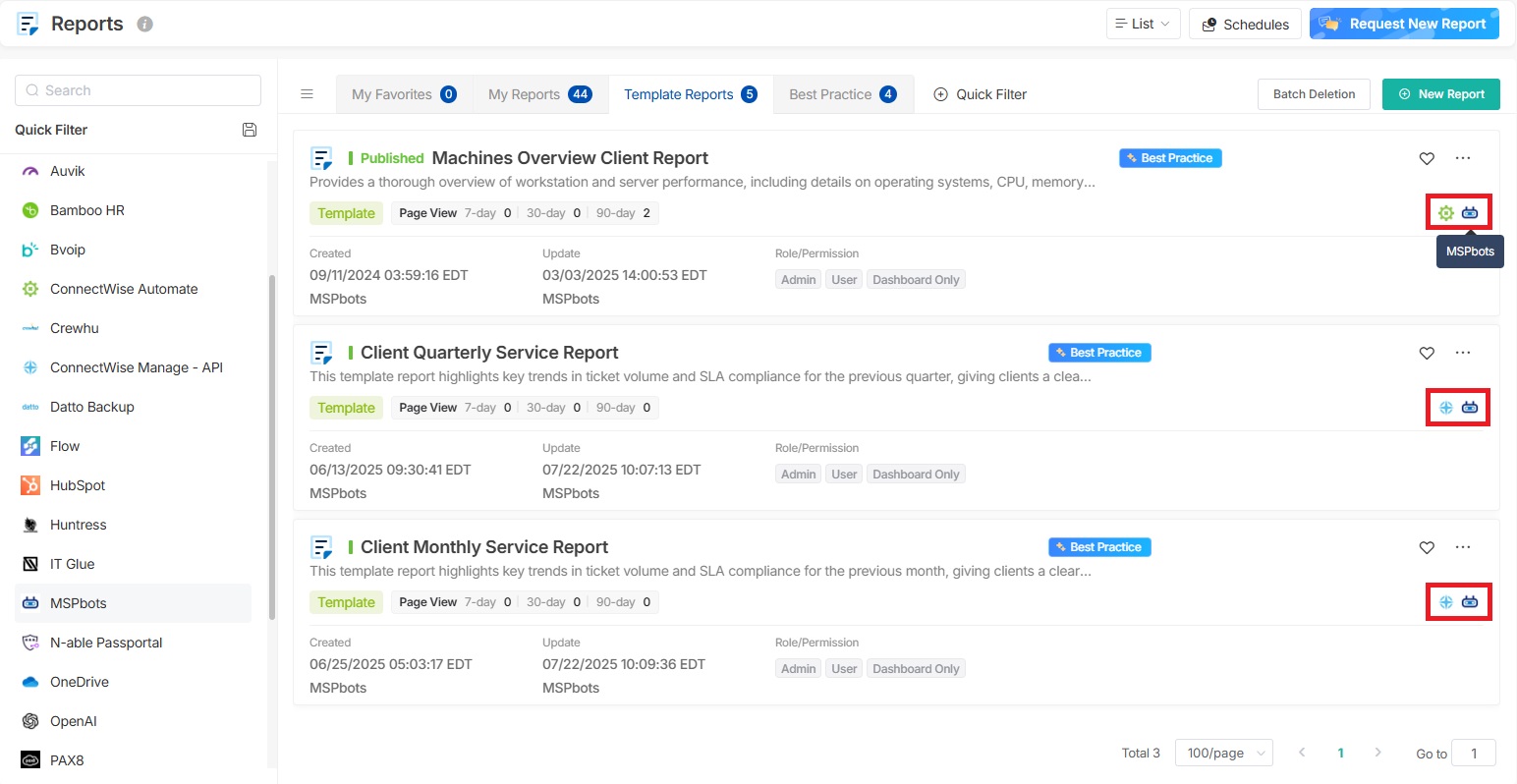
* The Tagged refers to the integrations set for the dataset used by the asset. You can view the integrations for this asset tag on the right side of the asset.
The samples in the table below are for your reference on whether a specific asset shows when clicking MSPbots integration in the Integration Group list.
| Asset | Tagged Integration | Whether the asset shows |
| A | MSPbots | Yes |
| B | MSPbots, ConnectWise (connected) | Yes |
| C | MSPbots, Halo (not connected) | No |
| D | MSPbots, ConnectWise (connected), Halo (not connected) | Yes |
| E | MSPbots, ConnectWise (not connected), Halo ( not connected) | No |
Datasets with the MSPbots tag include all internal datasets generated by MSPbots, including the Company Slicer (Automated Client Mapping) dataset.